


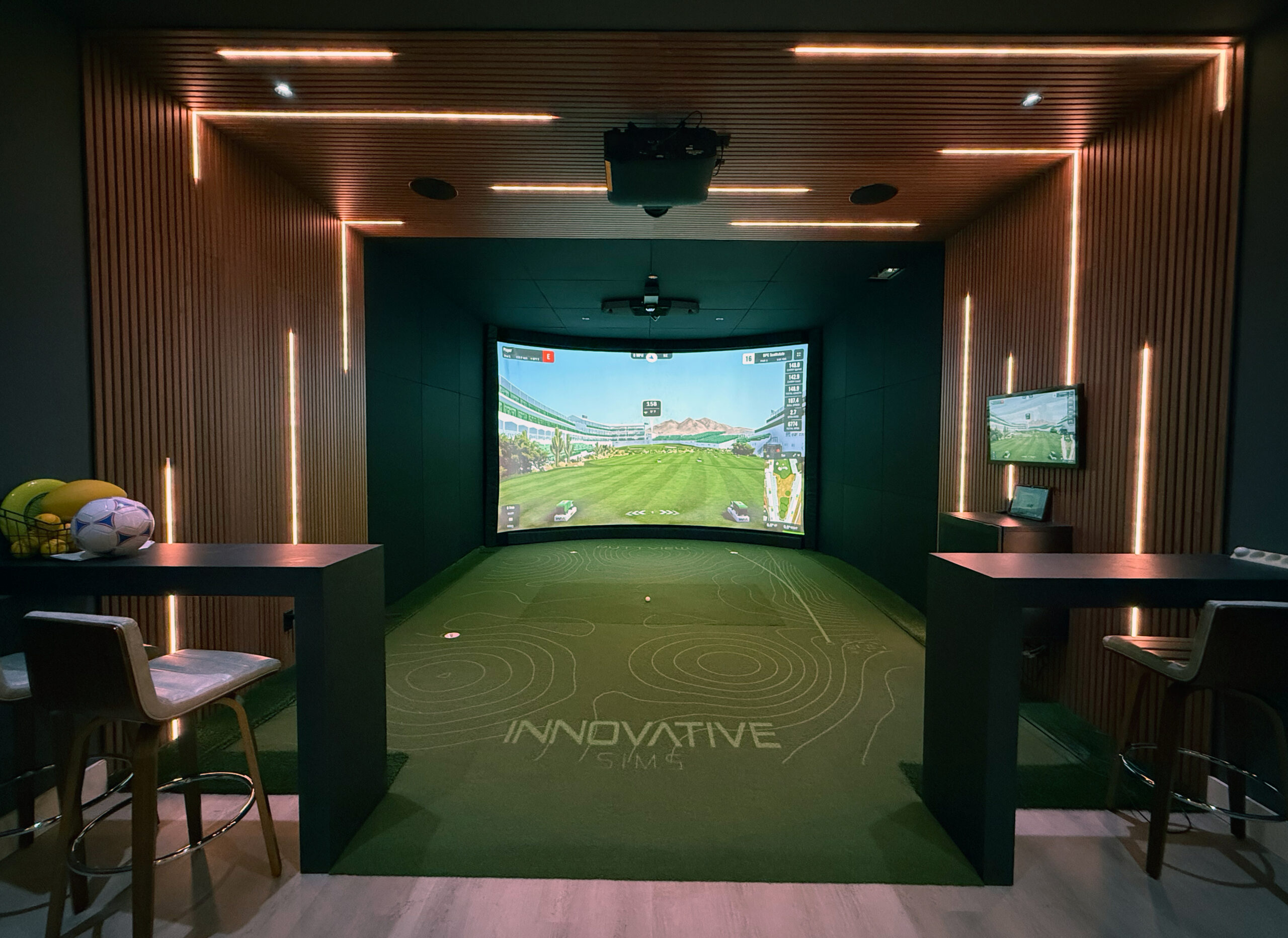
What’s New in the Tampa Showroom
Our updated simulator bay is designed to feel like a real golf environment, not a tech demo. Whether you are dialing in your distances, learning how to read putts, or hosting friends, this setup delivers a more complete training and entertainment experience.
- PuttView for interactive putting practice, drills, and reads
- Foresight Falcon launch monitor for high-level club and ball data
- GSPro for immersive course play, range sessions, and game modes
- Dialed-in calibration and a layout that supports both practice and fun
Best part: you can come try it in-person before you commit to building one at home.
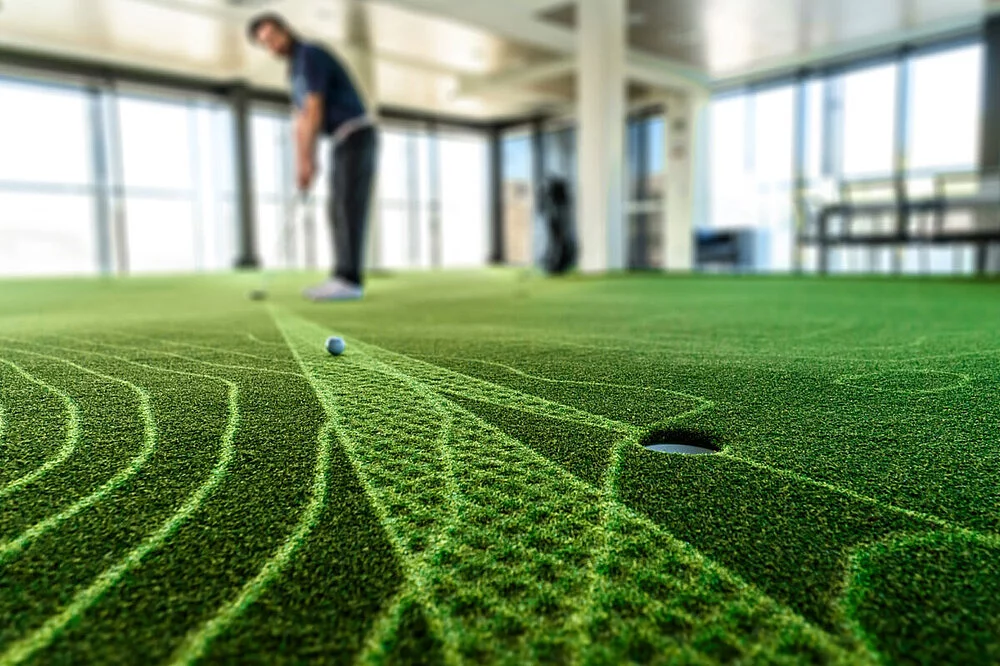
PuttView: Putting Practice That Finally Clicks
If you have ever wondered whether you missed a putt because of your read, your speed, or your start line, PuttView makes it obvious in the best way.
PuttView uses projection and tracking to overlay the information directly onto the putting surface, so you can:
- See ideal lines, break, and target zones
- Run putting drills that train speed control and consistency
- Challenge friends with games that are actually fun (not just practice)
It is the kind of technology that keeps casual golfers engaged while giving serious golfers a real edge.
Foresight Falcon: Serious Data, Cleaner Room Design
The Foresight Falcon is a ceiling-mounted launch monitor designed for high-performance simulation. That means accurate ball and club data without taking up floor space.
For a home build, this matters more than most people think. A clean room layout keeps your simulator comfortable, safer to swing in, and easier to design around.
What you will notice during a demo:
- Consistent reads that feel true to your real distances and shot shapes
- Fast feedback between swing and result
- A streamlined setup that looks intentional, not like a temporary range bay

GSPro: The “I Can’t Believe This Is Indoors” Factor
We paired the Falcon with GSPro because it makes simulator play feel like a real round. The visuals are immersive, the play is smooth, and it is built for everything from practice sessions to full-on game night.
Why people love it:
- Realistic course play and range environments
- Game modes that make it fun for non-golfers too
- A setup that works for practice, competition, and entertainment
If you are considering a home simulator, seeing GSPro in-person is the easiest way to understand why it is become a favorite.

Why We Recommend a Showroom Demo First
Golf simulators are not one-size-fits-all. Ceiling height, room width, hitting distance, screen size, turf type, lighting, acoustics, and software preferences all matter. In a quick visit, you can feel the difference between “pretty cool” and “this is exactly what I want in my home.”
During a demo, our team can help you:
- Compare simulator experiences based on your goals (practice, fun, both)
- Understand what the data actually means for your game
- Talk through room requirements and layout options
- See how putting + full swing can live together in one space
Schedule a Tampa Showroom Visit
Want to try the upgraded sim for yourself? Book a visit and we will tailor the demo around your game and your space. This experience is led by our Innovative Sims Golf Simulator Division Manager, Brian Wilcox.
Tip: If you know your room dimensions (or have a floor plan), bring them. We can give more specific recommendations on what will work best in your home.
Meet Your Guide
Brian Wilcox
Innovative Sims Golf Simulator Division Manager
- Walkthrough of PuttView + Falcon + GSPro
- Recommendations based on your goals and available space
- Next steps if you want a home design plan
Prefer to reach out directly?
Phone: 727.457.1284
Email: brian.wilcox@innovativesims.com
Request an Appointment
Fill this out and our team will follow up to confirm a time.


